Analytics
See the whole picture
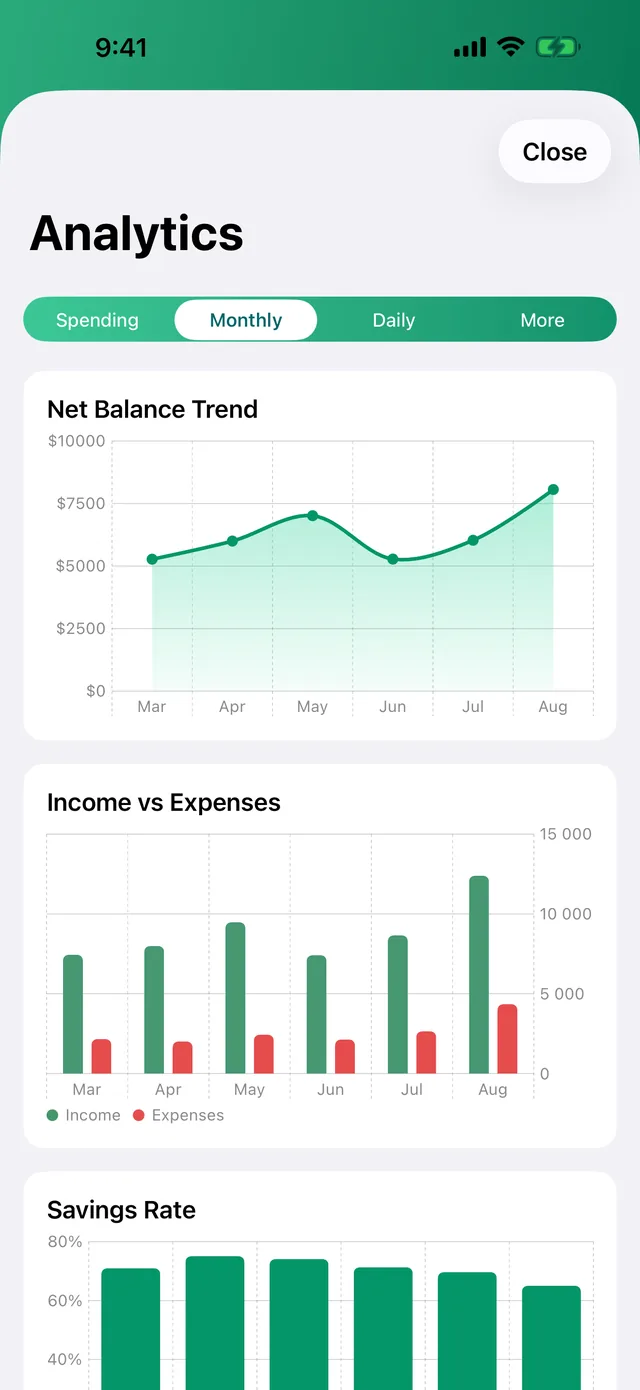
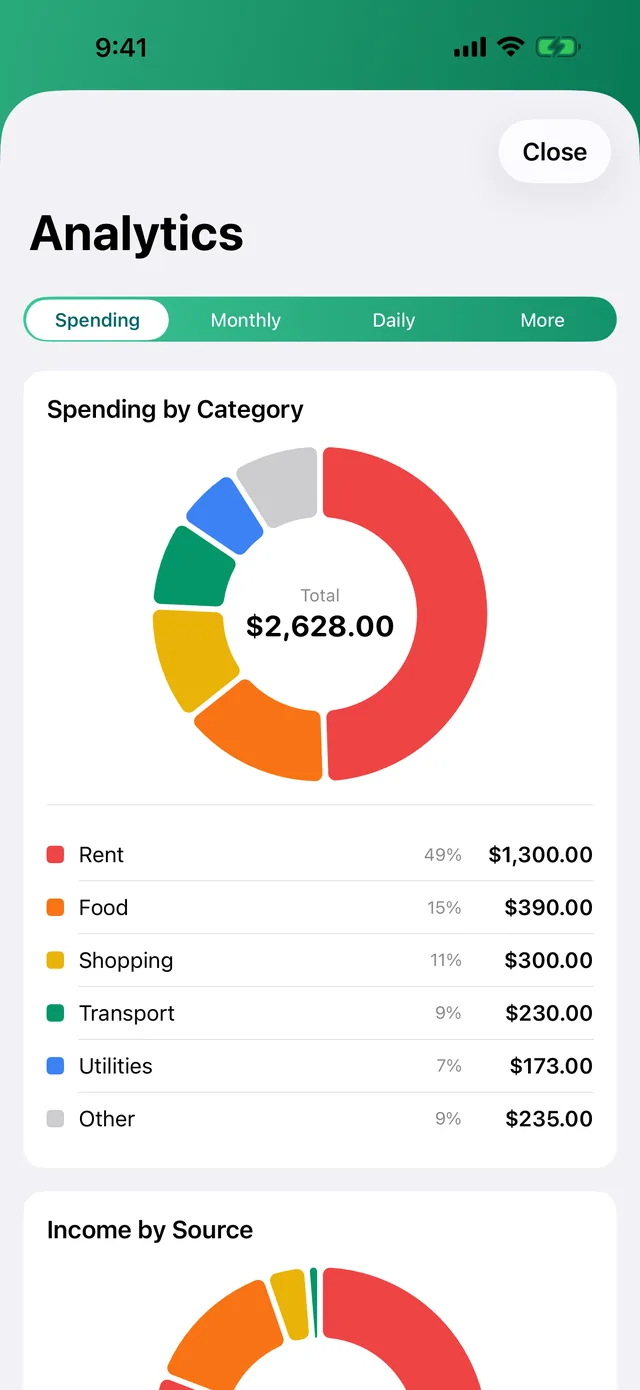
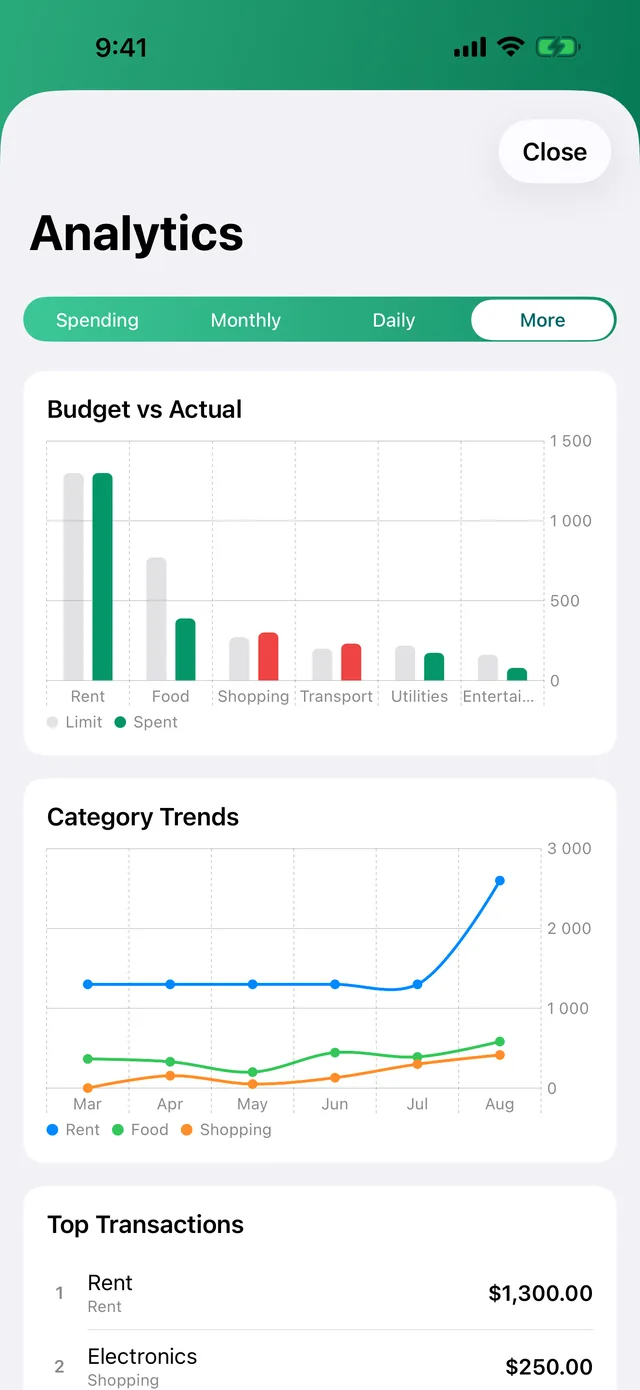
Seven charts that explain your money — spending by category, income by source, net trend, savings rate, daily spend and the weekday you always overdo it.
−$300.00 Shopping · 11% of the month's spending
For iPhone · One-time purchase
The budget tracker that answers to you — not to advertisers. Log an expense in seconds, watch the month take shape, and keep every number on your own device.

$0.99 once. No subscription, ever.
Analytics
Seven charts that explain your money — spending by category, income by source, net trend, savings rate, daily spend and the weekday you always overdo it.
−$300.00 Shopping · 11% of the month's spending
Calendar
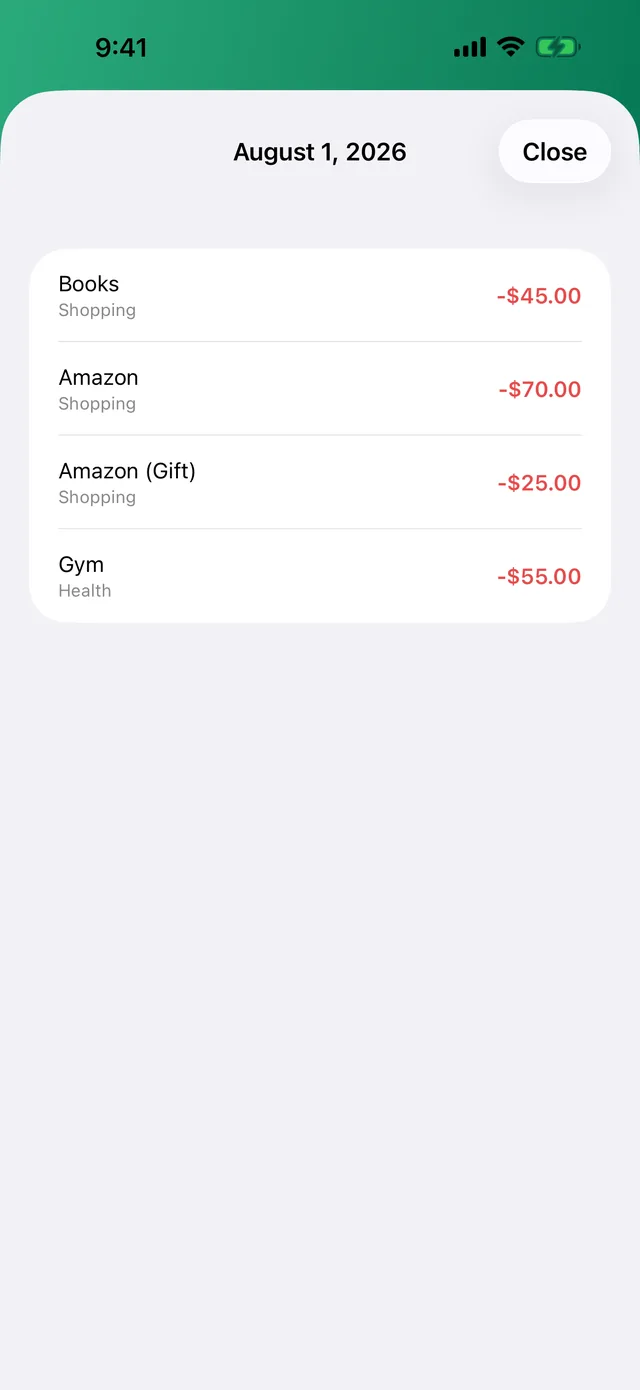
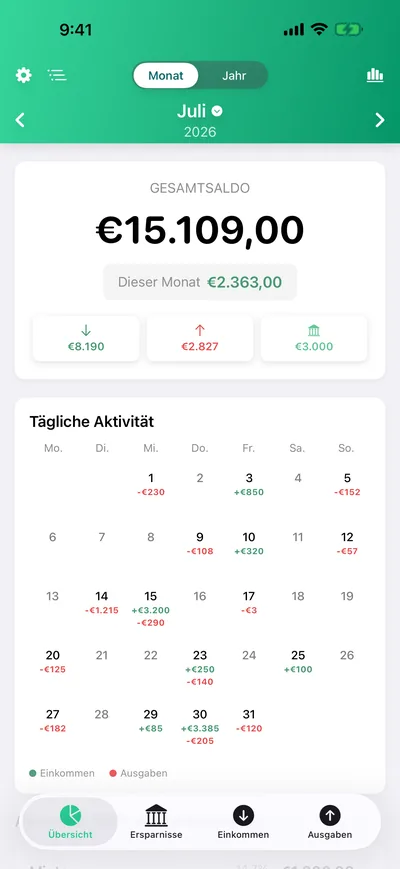
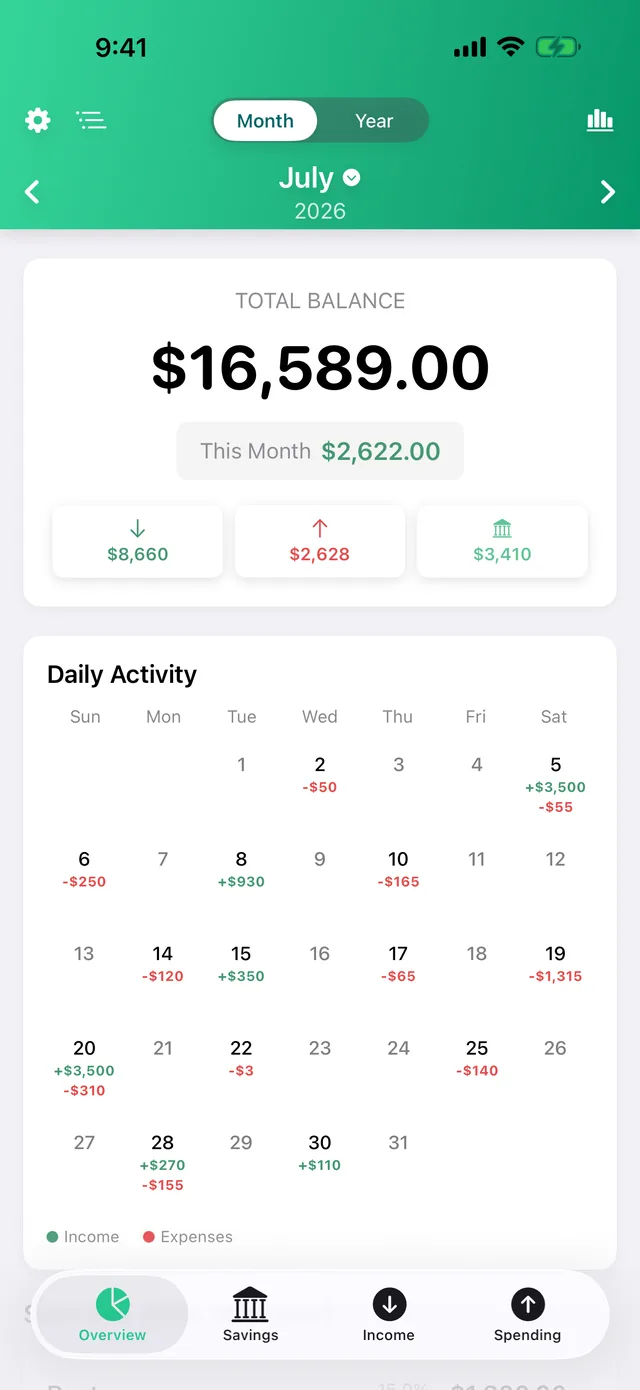
The month as a living calendar — green days earn, red days spend. Tap any day to see exactly where it went.
+$3,500.00 Saturday the 5th — payday
Fast entry
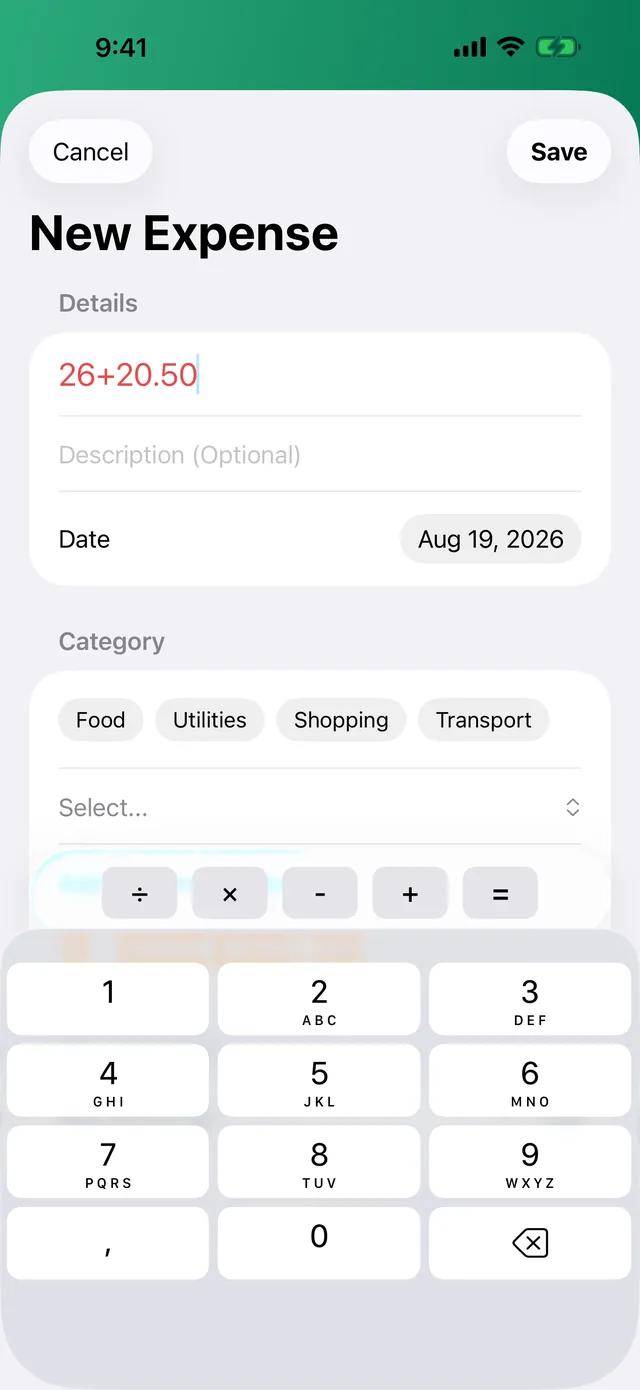
Do the math right in the amount field — 26+20.50 just works. A calculator bar lives on the keyboard, so splitting a bill never leaves the app.
−$46.50 Dinner, split two ways
Goals
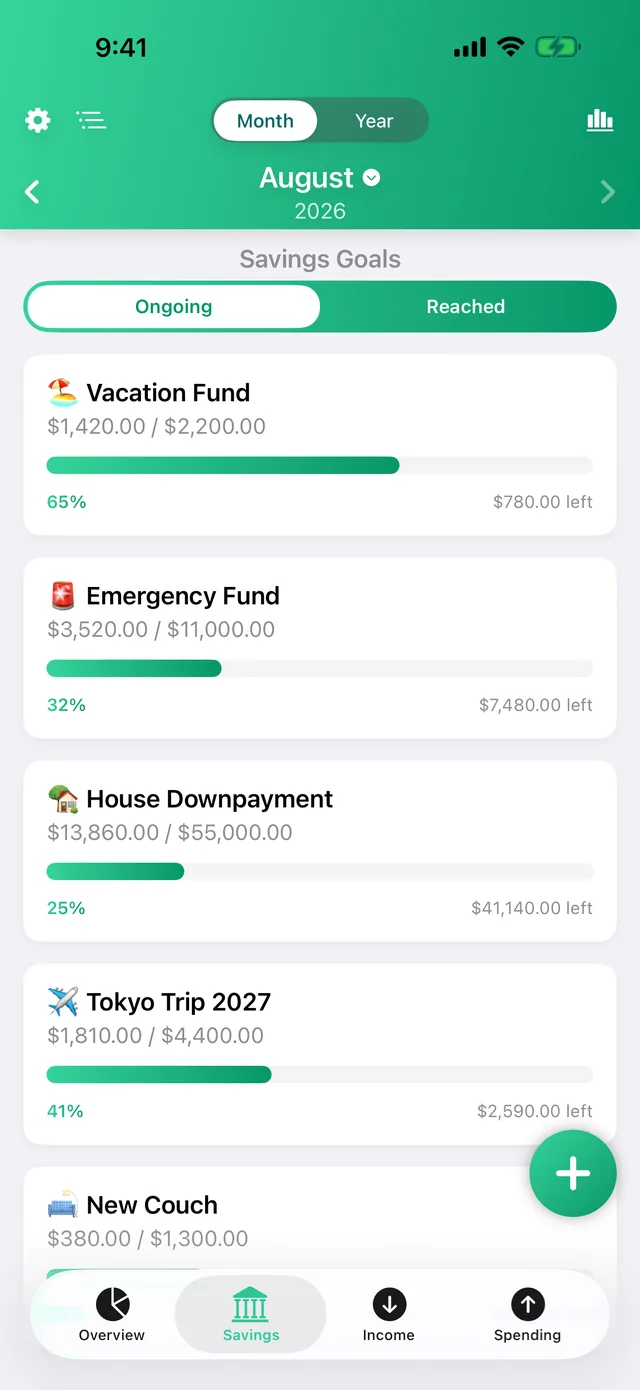
Vacation fund, emergency cushion, the new laptop — each goal gets a bar that fills as you do. Hit every savings target easily.
65% Vacation Fund · $780.00 to go
Budgets
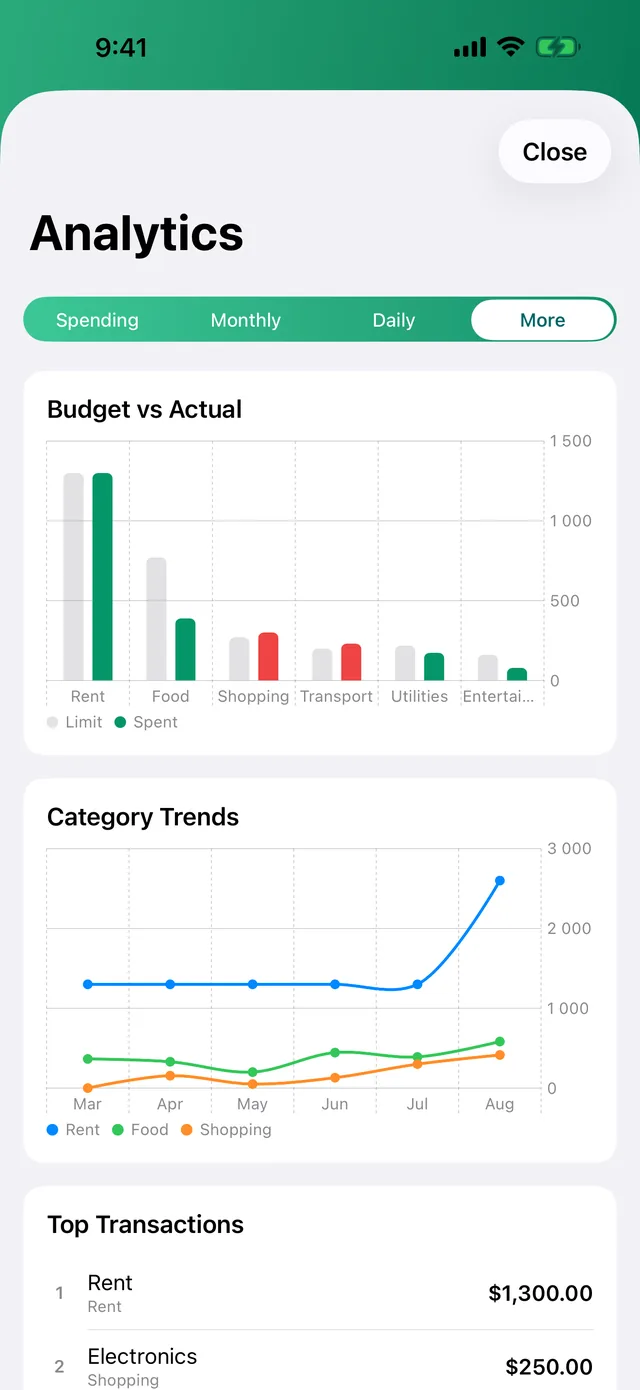
Set a limit per category and see budget vs. actual at a glance — before the month ends, not after.
2 categories in the red — caught before month-end
Recurring
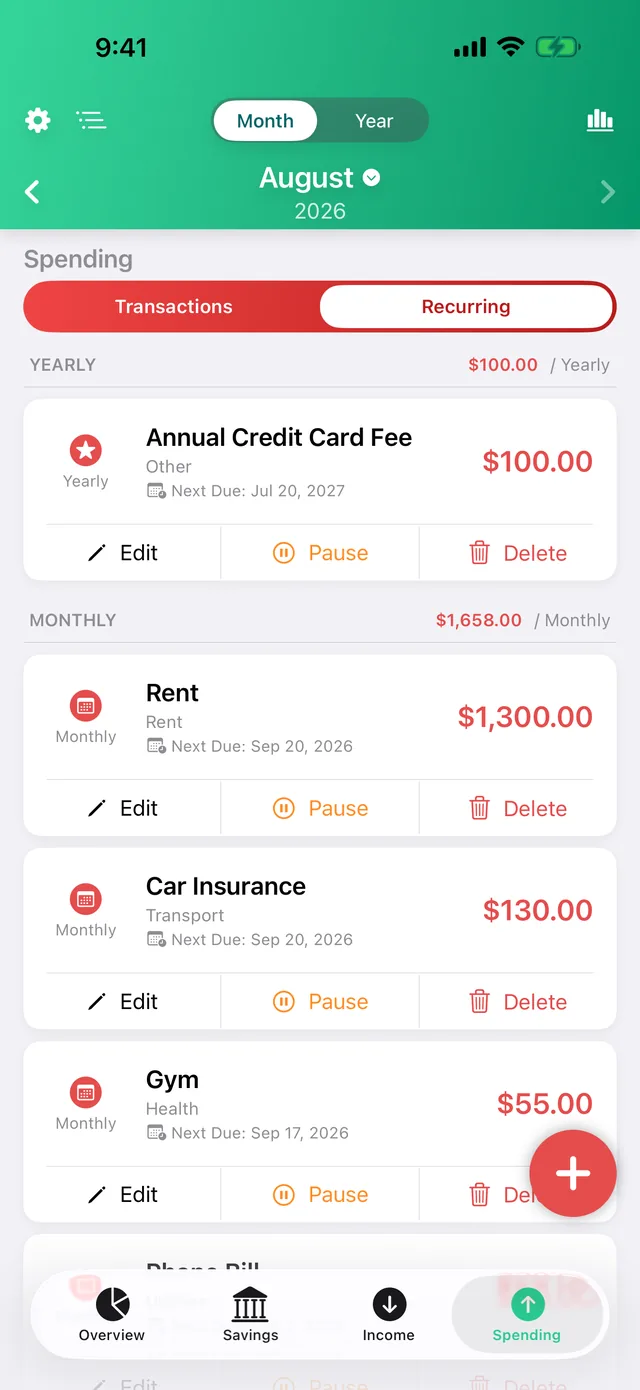
Rent, bills and salaries post themselves on schedule. Upcoming payments show up before they hit.
$1,658.00 a month — rent, bills & subscriptions on autopilot
Your financial data is your business, not ours. CoreSpend has no servers to send it to.
Localization
Thirty languages, end to end — categories, charts, widgets, even realistic local amounts. ¥ has no decimals; zł comes after the number. CoreSpend knows.
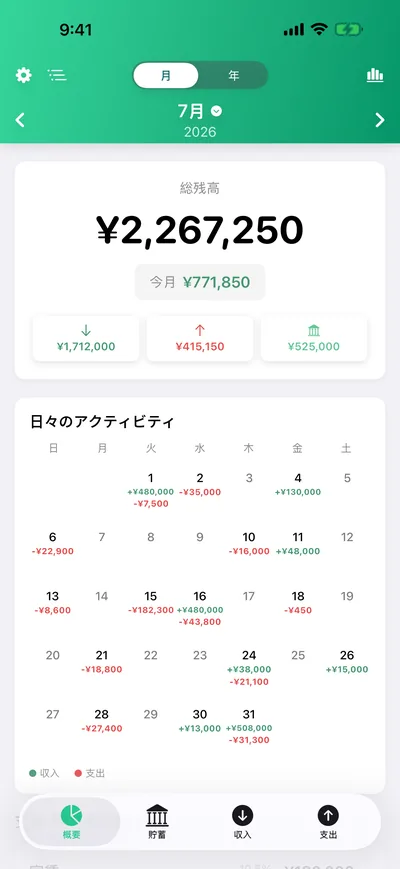
…and twenty more: Español, Italiano, Nederlands, Čeština, Slovenčina, Magyar, Română, Hrvatski, Slovenščina, Dansk, Norsk, Suomi, Български, Eesti, Gaeilge, Lietuvių, Latviešu, Македонски, Malti, Српски.
Roadmap
One budget, every screen. The same app — same privacy, same one-time philosophy — is on its way to the bigger displays. Your data will follow you through your own iCloud, like it already does.

Everything above for less than one coffee — once.
No trial that expires. No premium tier. No ads.

Requires iOS 17.6 or later · iPhone
On your iPhone. CoreSpend has no servers and no accounts — nothing to breach, nothing to sell. Sync happens only through your personal iCloud, which we can't read.
Sign into the same iCloud account and your budget is there. Same for a reinstall.
A budgeting app that charges monthly works against you. You pay once, you own it — every future update included.
Completely. Everything is on-device; iCloud sync just catches up when you're back online.
Yes — "Hey Siri, log a $4 coffee" adds it without opening the app. Widgets cover the glancing; Siri covers the hands-full moments.